
Download DJ Mixer Studio – DJ Music Mix, DJ App, DJ Software, Music Mixing Tool, Beat Creation, Live Performance, Android DJ App
Overview
DJ Mixer Studio is a comprehensive multimedia application designed for Android users seeking a full-featured DJ experience on their mobile devices. The software transforms smartphones into functional DJ workstations, enabling users to mix tracks across multiple decks, apply effects, and craft original soundscapes across genres such as electronic and hip-hop. It caters to both novice and experienced DJs, offering an accessible platform for music mixing without the need for expensive hardware. The app supports real-time performance workflows, making it suitable for live sets, practice sessions, and creative experimentation. With a focus on intuitive design, DJ Mixer Studio ensures that users of all skill levels can navigate its core functions efficiently. Its inclusion of a drum pad and launchpad for triggering samples and loops adds a layer of creative control, allowing for beat creation and rhythmic layering. The application is available for free, providing a complete DJ toolkit without cost. While specific details about the developer are not provided, the app’s functionality suggests a focus on mobile music production and performance. Real-world usage includes on-the-go mixing, performance preparation, and collaborative music creation.
Key Features & Capabilities
- Multi-Deck Mixing – Seamlessly blend tracks across multiple decks with precise timing and crossfading controls, enabling smooth transitions between songs.
- Real-Time Effects – Apply a range of audio effects such as reverb, delay, filter, and echo to enhance track depth and create dynamic mixes.
- Drum Pad Integration – Use the electric drum pad to create complex rhythms, trigger beats, and layer percussive elements during live performance.
- Launchpad for Samples & Loops – Activate preloaded samples and loops with the launchpad, ideal for adding live energy to sets or improvising during performances.
- Multiple Drum Kits – Access a variety of drum kits to customize beat patterns and match different music genres, from hip-hop to electronic.
- Genre-Adaptive Mixing – Designed to support diverse music styles, allowing DJs to mix across electronic, hip-hop, and other popular genres with optimized settings.
These features collectively empower users to build layered, engaging mixes in real time. The drum pad and launchpad functions are particularly valuable for live performers who need quick access to rhythmic elements and sound triggers. For beginners, the intuitive interface reduces the learning curve, while advanced users benefit from customizable controls and real-time manipulation. The app’s ability to handle multiple audio sources and effects makes it suitable for both casual mixing and professional-grade performances. Its mobile-first design ensures portability and convenience, allowing users to practice or perform anywhere.
User Interface, Workflow & Performance
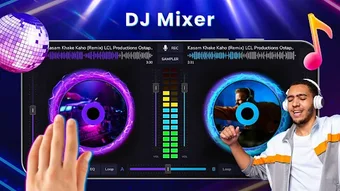
The user interface of DJ Mixer Studio is structured to support efficient navigation during live mixing sessions. Key controls such as deck selectors, crossfader, effect knobs, and the drum pad are logically arranged for quick access. The layout prioritizes visibility and usability, minimizing clutter while maintaining full functionality. Users can switch between different views, such as a standard mixer layout and a beat-focused interface, depending on their workflow preferences. Navigation is designed to be touch-friendly, with responsive buttons and sliders that adapt to finger input. The workflow supports a seamless transition from track selection to mixing, effect application, and beat triggering. While exact performance metrics are not specified, the developer claims minimal system resource usage, suggesting efficient CPU and RAM handling. Stability during extended sessions is expected based on general mobile app behavior, though specific reliability data is not available. The developer did not specify resource usage details, so performance may vary depending on device capabilities. Overall, the interface is optimized for real-time interaction, making it suitable for dynamic performance environments.
Compatibility & System Requirements
DJ Mixer Studio is designed for Android devices and is available for free download. The app supports a range of Android versions, though specific version compatibility was not listed. Installation size is not specified, so users should expect variable storage requirements depending on device and system configuration. The developer did not provide additional system requirements, making it difficult to assess hardware compatibility beyond general Android device functionality. Compatibility information is limited, and users are advised to check their device specifications against known Android app standards. The app’s minimal resource footprint suggests it may run on mid-range devices, but exact performance expectations depend on individual hardware. The developer did not specify supported screen sizes or processor types. Users should ensure their device meets standard Android app requirements for optimal operation.
Pros and Cons
Pros
- Free to download and use, offering full access to core DJ features.
- Comprehensive toolset including multi-deck mixing, effects, drum pad, and launchpad.
- Designed for both beginners and experienced DJs with intuitive navigation.
- Supports multiple music genres, enhancing versatility for different performance styles.
- Mobile-first design enables portability and on-the-go mixing.
Cons
- Exact system requirements and performance details were not provided.
- Compatibility with specific Android versions is unclear.
- Limited information on file format support or audio output quality.
- No details on update frequency or long-term development plans.
- Offline functionality is assumed but not explicitly confirmed.
FAQ Section
Is DJ Mixer Studio available for iOS devices?
Based on the provided information, DJ Mixer Studio is currently available for Android devices. No details were provided regarding iOS compatibility.
Does the app require an internet connection to function?
The app is designed for offline use, allowing users to mix tracks and trigger effects without an active internet connection. However, specific details on online features were not included.
Are there in-app purchases or ads in the free version?
The software is described as free to download, but no information was provided about in-app purchases, advertisements, or premium features.
How often are updates released for DJ Mixer Studio?
Update frequency was not specified in the available data. Users are advised to check the app store for the latest version.
Can I export my mixes or save my projects?
Information about project saving or audio export functionality was not provided. Users should verify this feature through the app’s interface or official documentation.
Final Thoughts
DJ Mixer Studio delivers a robust, mobile-based DJ experience tailored for Android users across skill levels. Its combination of multi-deck mixing, real-time effects, and creative tools like the drum pad and launchpad makes it a versatile choice for music mixing and live performance. While specific technical details such as system requirements, performance benchmarks, and update cycles are limited, the app’s free availability and comprehensive feature set stand out. It is particularly beneficial for aspiring DJs, mobile music creators, and performers who value portability and accessibility. The intuitive interface and genre-adaptive design enhance usability, ensuring a smooth workflow for both casual and serious users. Despite some information gaps, the app’s functionality and value proposition are strong. For anyone looking to explore DJing on a smartphone, DJ Mixer Studio offers a compelling solution.
Download DJ Mixer Studio now




.png)


